Skip to content
Paying with crypto

Four steps.
About 15 minutes.

Never bought crypto before? Neither had most of the people who order here. The walkthrough below covers the whole thing — from dollars in your account to a paid order, no jargon.

You’ll need
  • A phone
  • Your bank card
  • Some ID

Where your money goes

  1. 01Your bank cardpays in AUD
  2. 02Banxabuys the crypto
  3. 03Your walletyou hold it
  4. 04Our checkoutorder placed, then confirmed by hand

The walkthrough

01

Get a wallet

3 min

A wallet is just an app that holds your crypto. We use Exodus — it does the buying and the sending in one place.

  1. Install ExodusSearch “Exodus” on the App Store or Play Store. The publisher is Exodus Movement, Inc.
  2. Tap Create WalletNo email, no account. It builds a wallet on your phone in seconds.
  3. Write down your recovery phraseTwelve words, on paper. It is the only way back in if you lose your phone — nobody can restore it for you, not Exodus and not us.
  4. Switch the currency to AUDSettings → Currency → AUD. Do this before you buy anything. It is the one mistake on this page that costs real money.
Stuck on the wallet?
02

Buy your crypto

5–10 min

You buy with your normal bank card through Banxa, the payment provider built into Exodus.

  1. Pick the coin you'll pay with Tap the coin on the Exodus home screen, then Buy. Our checkout takes all five of these — Litecoin usually costs least in network fees.
    • BitcoinBTC
    • EthereumETH
    • TetherUSDT · ERC-20
    • TetherUSDT · TRC-20
    • LitecoinLTC
  2. If you pay in USDT, match the network exactlyERC-20 and TRC-20 are different chains. Pick the same one at our checkout that you send from — tokens sent on the other chain cannot be recovered.
  3. Check it says AUD, then enter the amountEnter your order total, plus a couple of dollars so network fees don't leave you short.
  4. Verify your IDBanxa asks for your email, address, a photo of your licence or passport, and a selfie. That is standard for buying crypto anywhere in Australia — it is Banxa's requirement, and we never see any of it.
  5. Pay with your cardDebit cards are accepted far more often than credit. If it declines, don't retry the same card — see below.
  6. Wait for it to landUsually a few minutes, occasionally up to thirty. The balance appears in Exodus when it's done.
Card not working?
03

Send it to us

2 min

Place your order first — the checkout gives you an address and an exact amount. Then send from Exodus.

  1. Copy the address from your orderUse the exact address shown on your order confirmation for the network you chose. Copy it — never retype it by hand.
  2. Open the coin in Exodus and tap SendPaste the address into the top field. A green tick means the address is valid.
  3. Enter the exact amountUse the crypto figure from the checkout, not the dollar one. If your wallet limits the decimals, hit Max or All and send the balance rather than rounding down.
  4. Slide to sendDone. Nothing can be reversed after this, so give the address one last look.
Check before you send
04

Send us the transaction ID

1 min

We confirm every payment by hand, so tell us it's on its way. Reply to your order email with the transaction ID and we take it from there.

  1. Copy the transaction ID (TXID)Exodus shows it on the transaction the moment you send. It is a long string of letters and numbers.
  2. Email it to us with your order numberReply to your order confirmation, or send it to orders@raptorlabs.shop. That is all we need.
  3. We check it on-chain and release the orderYour order sits on hold until then. Once we can see the payment on the blockchain we mark it paid and get it moving.
  4. Nothing after a while?Message us with your order number and we'll trace it. A payment on the blockchain is always findable — it is not lost.
Nothing arrived?
The one that costs money

Don't leave it in US dollars

Exodus opens in USD. Type your order total without switching, and you hand over roughly 50% more than you owe. Ten seconds to avoid.

Settings → Currency → AUD

On a A$140 order
Left on USD A$213
Switched to AUD A$140

Same order. The difference is one setting.

If your card gets declined

Several Australian banks block crypto outright. It is not your card and not your balance — retrying the same card usually fails the same way.

Most reliable

Use Revolut, Wise or another neo bank

Digital banks allow crypto where the big four often won't. Revolut opens in minutes and gives you a virtual card that works with Apple Pay and Google Pay — top it up from your normal bank by transfer or PayID. Wise and UP work the same way.

No new account

Or call your bank

Ask them to whitelist the transaction. You are paying into your own personal wallet, which is exactly what is happening — no new account needed.

Cash friendly

Only have cash, or would rather skip the exchange?

Peer-to-peer marketplaces let you buy crypto straight from another person and have it sent to your Exodus wallet — cash, bank transfer, gift cards and more.

None of these working?

Questions we actually get

Can I just pay with my card directly?

No — we only take crypto. The card step happens inside Exodus, so a card is still all you need to start.

Is the ID check safe?

It is Banxa's, and it is the same check every Australian crypto exchange runs. Your documents never reach us — we only ever see that a payment arrived.

My wallet won't let me type all the decimals.

Some apps cap the digits. Use the Max or All button and send the full balance instead of rounding. Sending slightly more is fine; sending less leaves the order unpaid.

It's asking who I'm sending to — personal, exchange, business?

Choose personal wallet or self-hosted wallet. If it wants a recipient name, your own name is fine.

How long does the whole thing take?

About fifteen minutes the first time, most of it the ID check. After that it is under two — your wallet is already set up.

Do I need to keep crypto after this?

No. Buy what the order costs, send it, done. The wallet sits there empty until next time.

Why does my order say “on hold”?

That is normal. Every crypto order is held until we have matched your payment on the blockchain by hand. Send us the transaction ID and it moves as soon as we have checked it.

Question not here? Ask us

Still stuck? Just ask.

Tell us where you got to and what the screen says — that is enough to sort it. We never need your wallet details or your recovery phrase.

Message us
Shop the range

⚡ Mitochondrial Health & Energy

View all
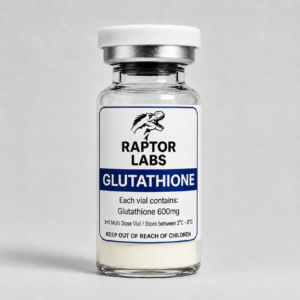
Entry ID: RL-PEP-GLUT-600-1V

Glutathione

1 vial 10 vials
Glutathione
From Price range: A$60.00 through A$500.00
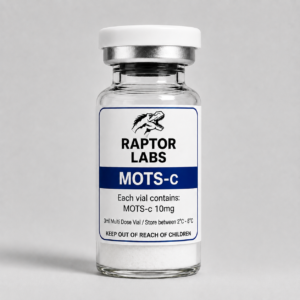
Entry ID: RL-MOTSC-10MG-1V

MOTS-c

10mg 50mg 1 vial 10 vials
MOTS-c
From Price range: A$70.00 through A$2,000.00
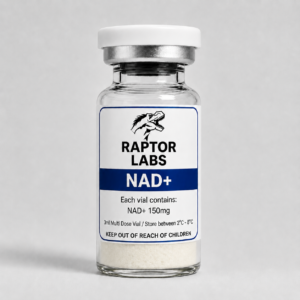
Entry ID: RL-PEP-NAD-150-10V

NAD+

1 vial 10 vials
NAD+ View lab results
From Price range: A$20.00 through A$200.00
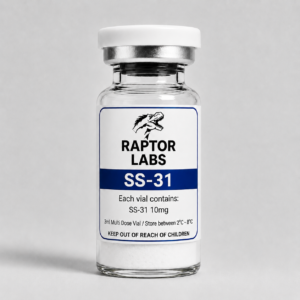
Entry ID: RL-PEP-SS31-10MG-1V

SS-31

1 vial 10 vials
SS-31
From Price range: A$90.00 through A$765.00